AstroPlotorium User Manual
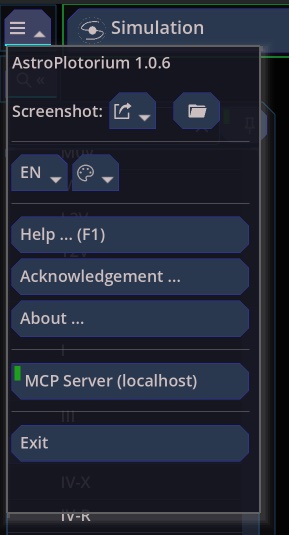
There is no separate settings window. Choices you make in the menus are stored and restored the next time you open the app.
What is remembered
- Theme, planet tint, view tint, and language.
- Location, including places you saved, and the last Earth site when you have been looking from another body.
- Clock step unit.
- Magnitude limits, brightness sliders, Bortle scale, planet and satellite size scales.
- Which layers are on: stars, names, constellations, grids, orbits, landscape.
- Which constellations and asterisms are hidden individually.
- Field-of-view frame focal length, landscape preset, and whether Presentation keeps the charts.
- Whether the MCP server is enabled, and its port.
The back/forward list of targets is for the current session.
Your folder
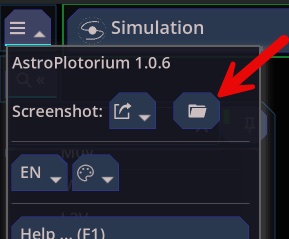
Open user folder in the home menu opens the app’s data directory. You will find:
screenshotsfor PNG exports.scriptsfor JavaScript tours.locations.jsonfor places you added.- Preferences for the items above.
- Galaxy simulation zips when you have saved a model.
Deleting a saved location that is currently selected returns the observer to Portland.
Home menu pages
- Help (F1). The in-app shortcut page.
- Acknowledgement. Catalogs, images, and software licenses. That list is the source of credit for HYG, the deep-sky catalogs, planetary data, and the libraries the app uses.
- About. The app name, version, and copyright.
- Exit. Quits. Closing the window quits as well.
A note on accuracy
Use the app to learn the relationships: where a planet is in the sky, which way its tail points, how an orbit sits relative to the ecliptic, what a coordinate system changes. When a picture is a model or a diagram, the view says so: the 2D solar-system chart, the simulation catalog, the enlarged planet scale, and the simplified station track. When you need the number, read the property panel or the ephemeris rather than measuring the mesh with a ruler.