AstroPlotorium User Manual
What it is
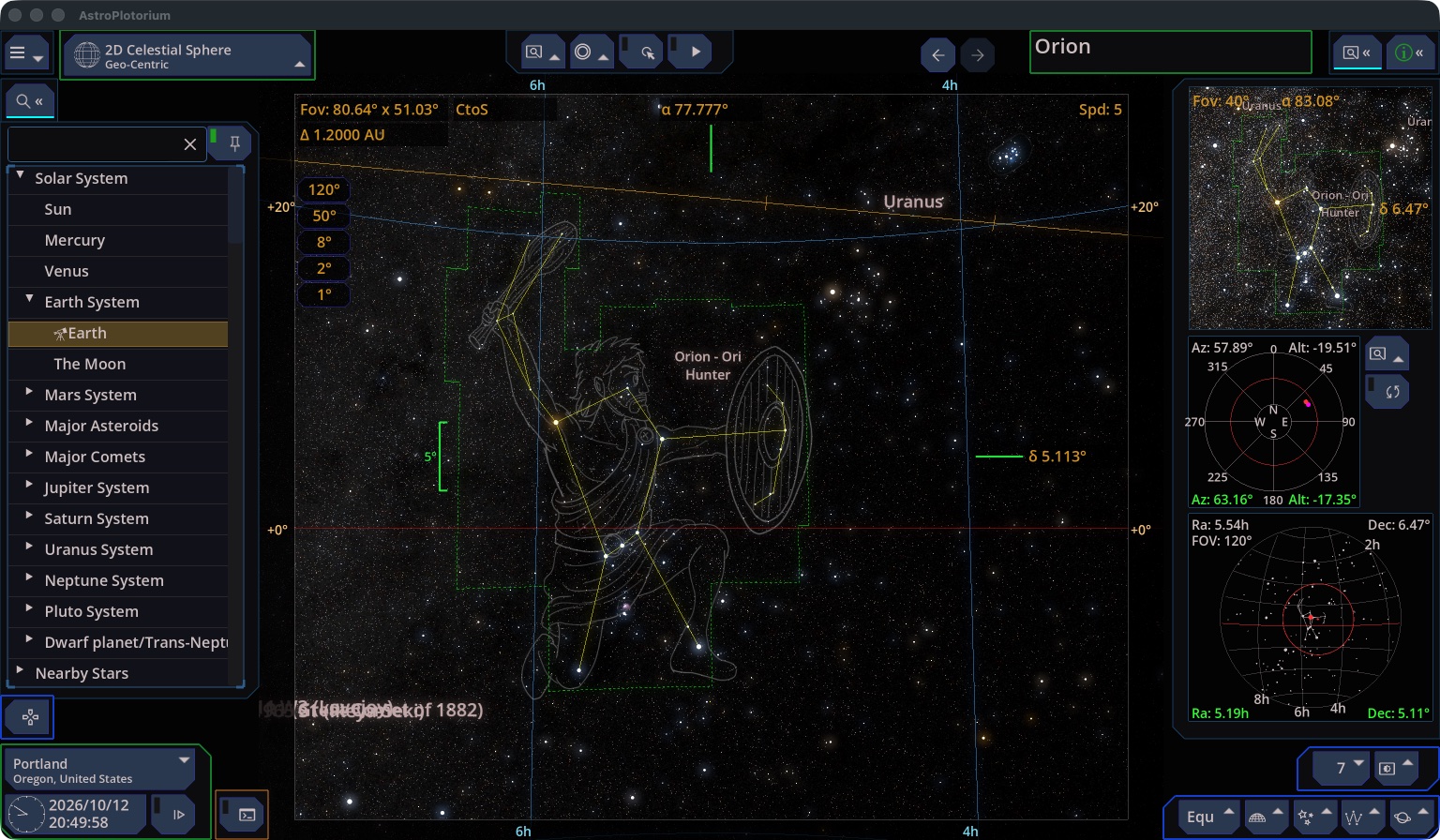
AstroPlotorium is a desktop planetarium and a 3D atlas of the sky and the solar system. You look at the same object from several points of view: the sky above your city, a flat star chart, a table of positions, an orbit around Earth, or a scaled model of the solar system and the nearby stars.
It is built for learning. The interface is meant to stay out of the way while you change place, time, field of view, and which catalog layer is drawn.
What you can do
- Set your city, or paste a latitude and longitude, and watch the sky for that place.
- Move the clock by minutes, hours, days, or years, or let it run.
- Look up a star, planet, moon, comet, constellation, or deep-sky object and keep that target while you switch views.
- Turn catalog layers on and off: stars, names, constellation lines, grids, orbits, the Milky Way, landscapes.
- Read coordinates, rise and set, and a short ephemeris for the selected object.
- Fly through a scaled 3D solar system, the nearby stars, and a model of the Milky Way.
- Hover or fly above a planet in the 3D Orbit view.
- Open model scenes of galaxies, clusters, nebulae, and a black hole.
- Save screenshots, run a short presentation, or drive the app with a script or an AI assistant on this computer.
Who it is for
Students, teachers, and anyone who wants to connect a name in a catalog with a place in the sky and a place in space. You do not need to know the coordinate systems before you start. The charts on the right are there to show where the camera is looking.
Platforms
The current release is a macOS app. The manual describes that desktop layout.
Copyright
Copyright (C) 2026 Mozusystems, LLC. Presented by Keiji Ikuta.
Catalog credits, tool licenses, and data sources are listed in the app under the home menu, Acknowledgement.
How this manual is organized
- Quick tour
- Getting started
- The screen
- Main views
- Finding an object
- The selected target
- Camera and field of view
- Time
- Location and coordinates
- Layers
- Charts on the side
- Solar system
- Stars, constellations, and deep sky
- 3D universe
- 3D Orbit
- Ephemeris and planisphere
- Simulations
- Themes and landscape
- Screenshots and presentation
- Keyboard
- Scripting
- Controlling the app from an AI assistant
- Settings and your files