AstroPlotorium User Manual
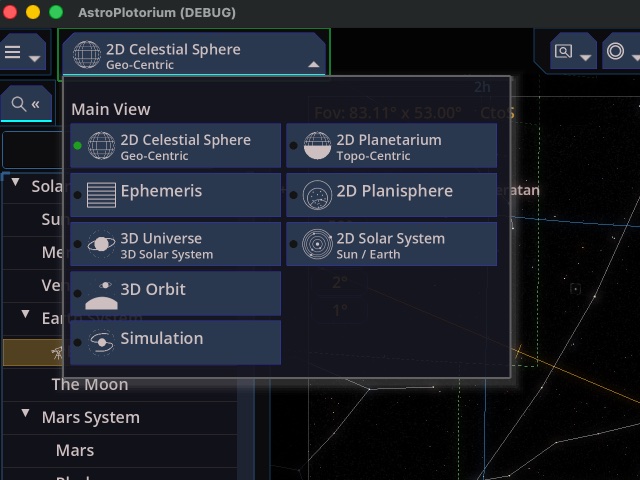
The Main View menu is at the top left. Choosing a view does not forget the target. Saturn selected on the celestial sphere is still Saturn when you open 3D Universe or the planetarium.
The navigator on the left shows a different catalog in sky views than it does in 3D Universe or in Simulation.
2D Celestial Sphere
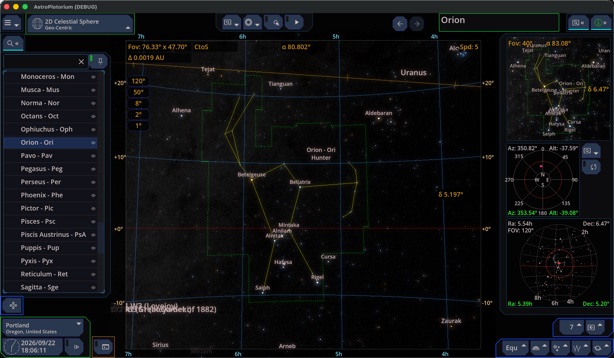
The sky as a sphere around you, without the ground. This is the star-chart view: constellations, grids, and objects above and below your horizon. Use it when you want the whole celestial sphere, including things that have not risen.
2D Planetarium
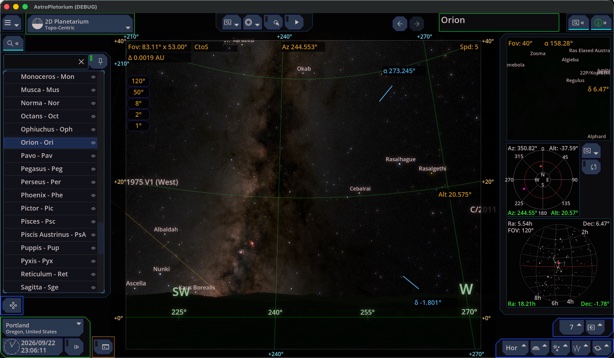
The same sky from your site, with a floor, a horizon silhouette, and the atmosphere. This is the view that matches standing outside. Objects below the horizon are behind the ground unless you turn the ground transparent.
Ephemeris
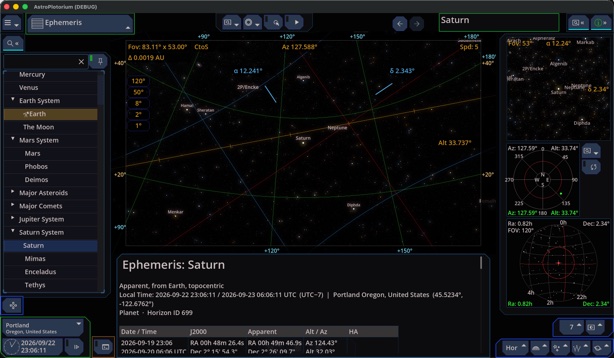
A table for the selected object: several local days at the same clock time, with coordinates, altitude and azimuth, hour angle, and rise, transit, and set. See Ephemeris and planisphere.
2D Planisphere
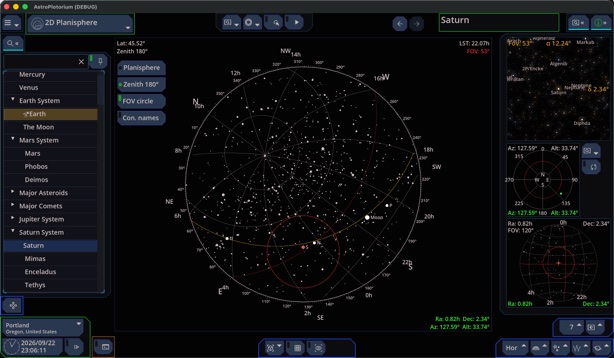
A handheld star wheel, or a 180° zenith chart, for your latitude and the current time. The 3D scene underneath is the planetarium. See Ephemeris and planisphere.
3D Universe
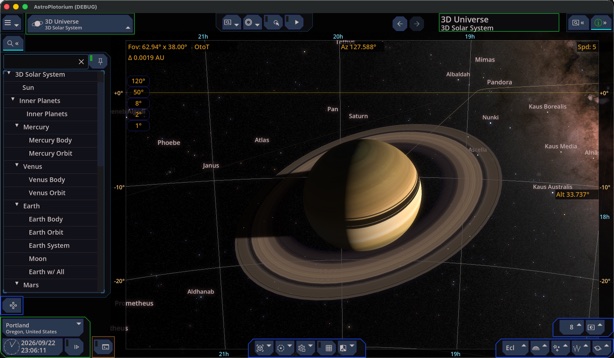
A scaled model you can orbit or fly through: the solar system, the region out to the Oort cloud, nearby stars, open clusters in 3D, and a model of the Milky Way. Planet and moon diameters are enlarged so they stay visible. Distances are compressed so the solar system fits in one scene. Read positions and orbits from this view. Do not read kilometers off the screen as if the model were 1:1.
2D Solar System
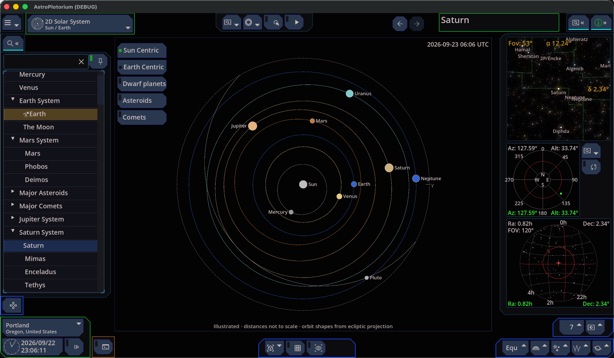
A flat chart of where the planets are. It is an illustration, not a scale model.
- Sun-centered: orbit shapes follow the real ecliptic projection. The spacing between orbits is evened out so the rings do not pile up. Marker sizes follow relative radii, not true distances in AU.
- Earth-centered: rings are a diagram of apparent right ascension. They are not orbits.
The chart says which mode you are in. The sky underneath stays available to the side charts.
3D Orbit
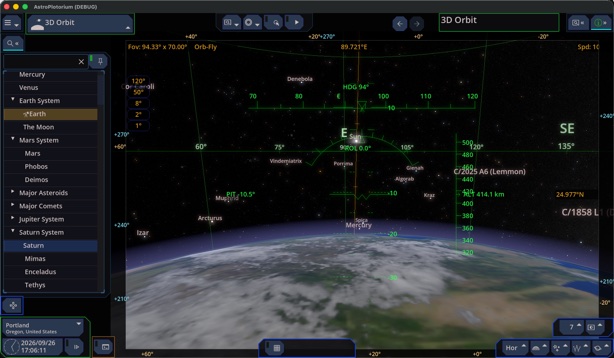
A view from altitude above the body you are looking from, with the globe, the limb, and the star dome around it. The default height on Earth is about 400 km. You can hover over your city, follow a simplified station-like track, or fly. See 3D Orbit.
Simulation
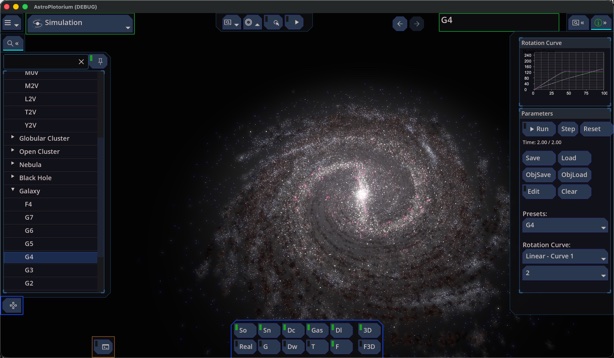
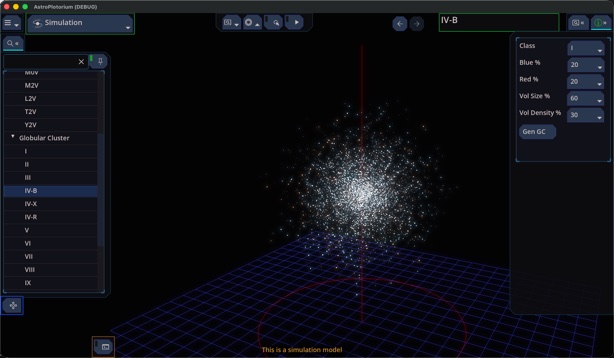
Model scenes: galaxy types, cluster types, nebula types, and a black hole. These are teaching models of a class of object. They are not a photograph or a catalog position of one named nebula, unless the label says so. See Simulations.