AstroPlotorium User Manual
Ephemeris
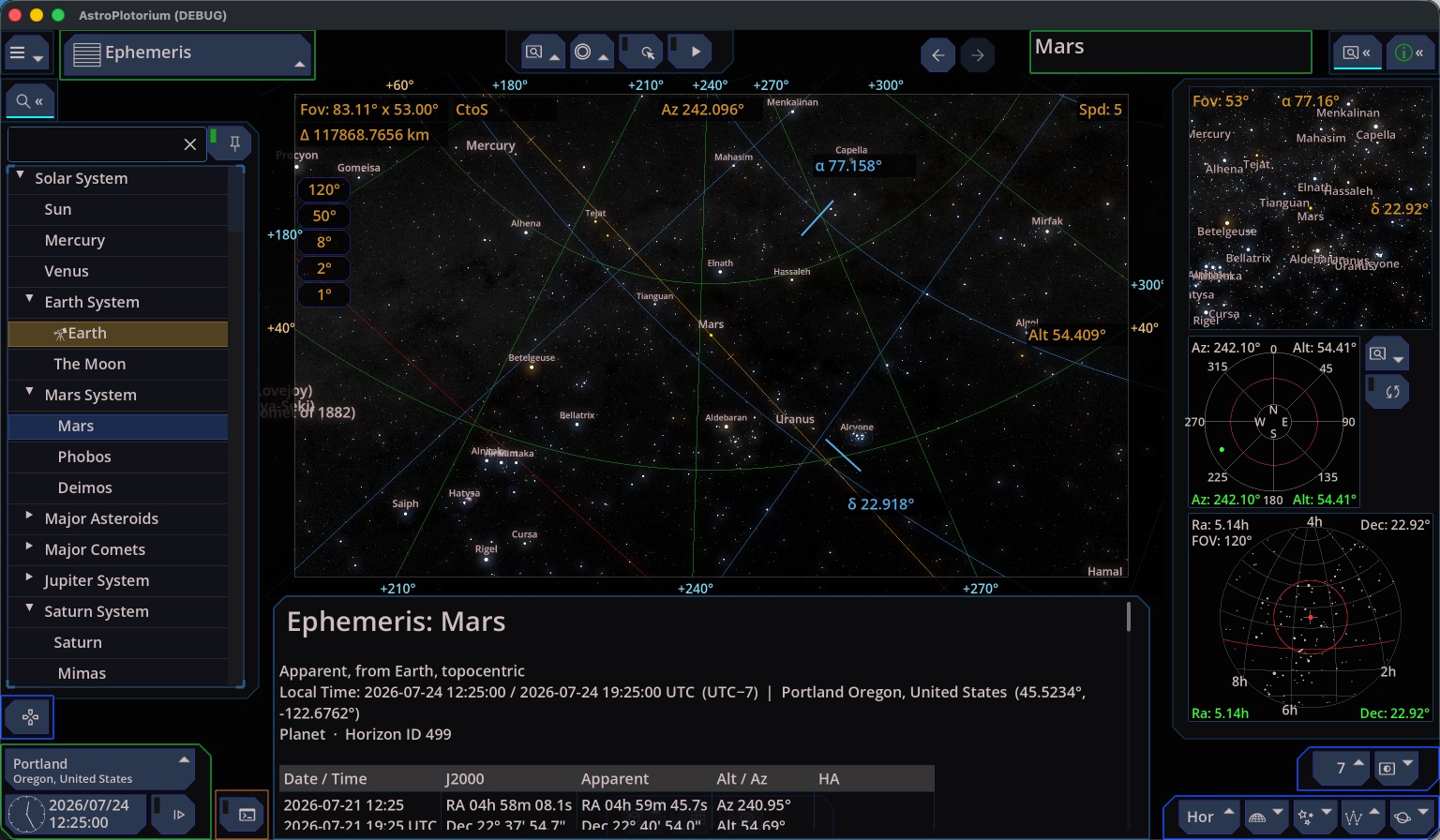
Choose Ephemeris in the Main View menu after you select an object. The table is an apparent, topocentric view from Earth: where the object actually sits in your sky, with refraction.
Rows cover several local days (by default a few days before today through a week ahead) at the same local clock time as the simulation clock. Change the clock and the table rebuilds.
Columns you can read:
- Local date and time, UTC, and Julian date.
- Right ascension and declination, both a J2000 catalog-style place and the apparent place of that date.
- Altitude and azimuth, after refraction. Azimuth is north 0°, east 90°.
- Hour angle.
- Rise, transit, and set for that local civil day, and the rise and set azimuth. Rise and set use the upper limb on the horizon. Transit is the moment the object crosses the meridian (highest in the sky). A circumpolar object that does not set leaves rise and set blank.
For a planet, the Moon, the Sun, an asteroid, or a comet, the table also carries magnitude, distance, angular diameter, and phase. The Sun has no phase. For a star or a deep-sky object, magnitude is the catalog value and barely changes from row to row.
If you are looking from a body other than Earth, treat the table’s “from Earth” note as the authority for those columns. The property panel is the live place from the current observer.
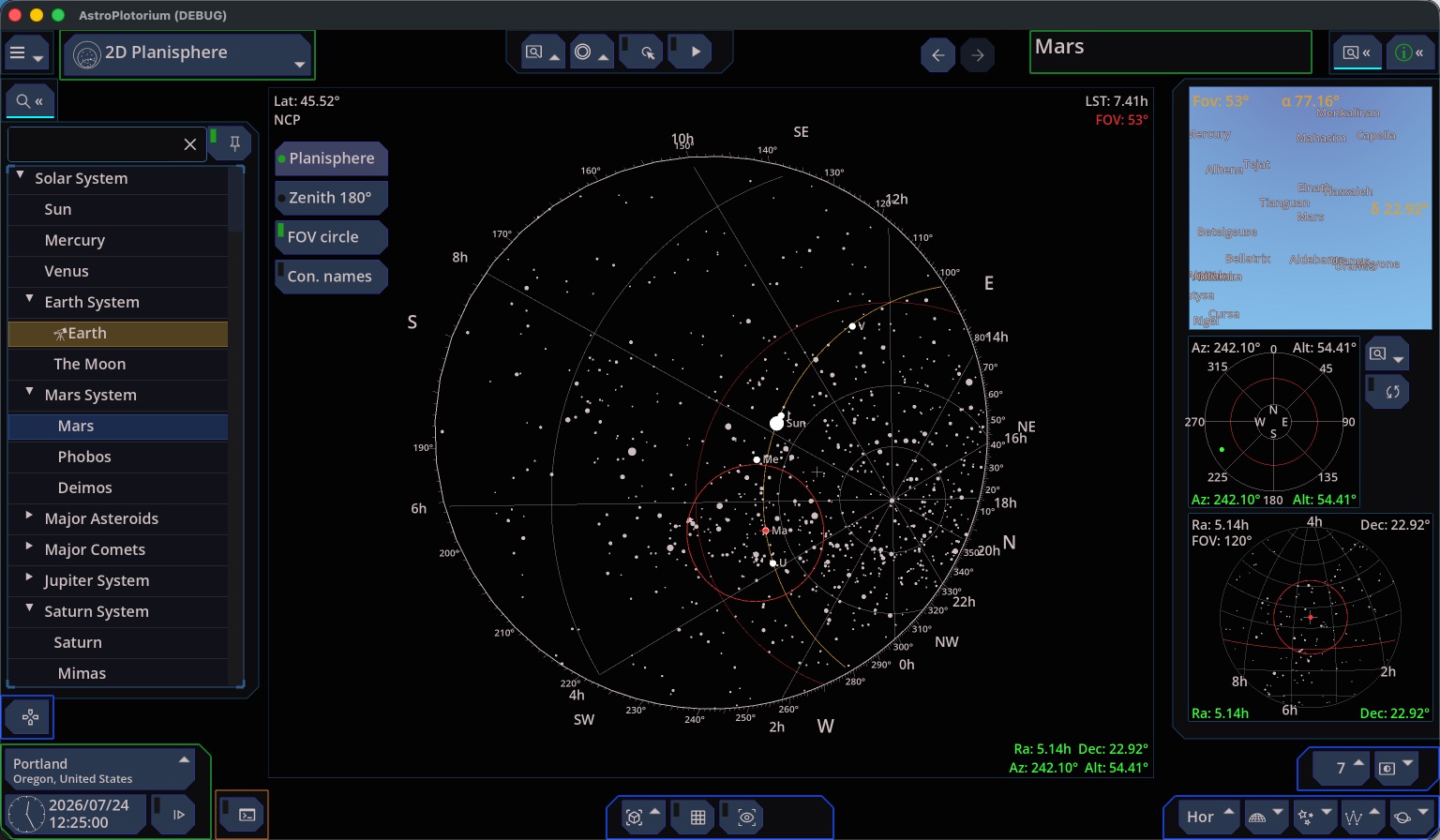
2D Planisphere
Zenith 180° View.
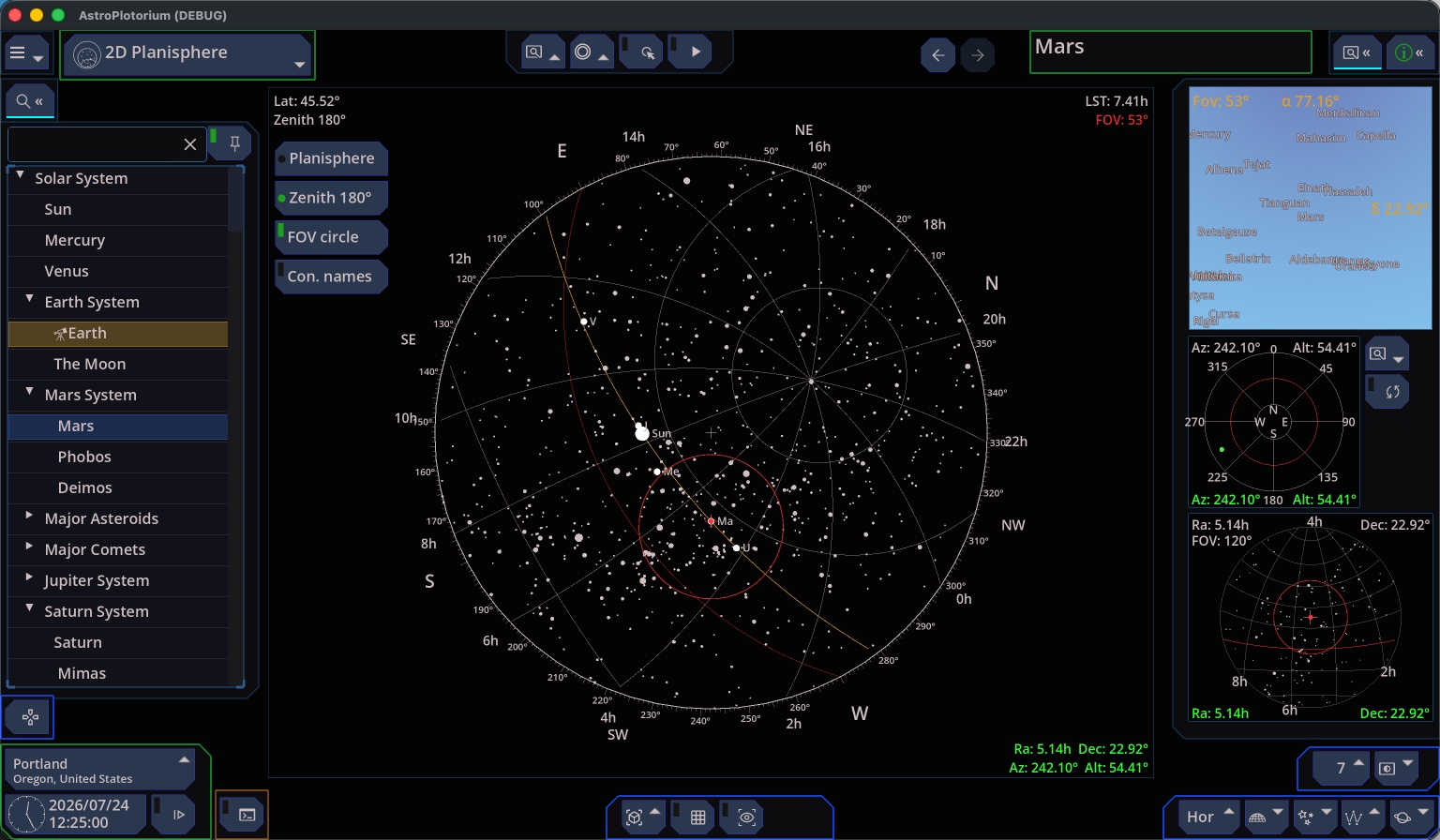
The Main View 2D Planisphere covers the window with a chart for your latitude and the current local time.
- Planisphere. The classic wheel. The celestial pole is the center. The star map rotates with sidereal time. A window shaped by your latitude shows the sky that is up.
- Zenith 180°. A chart with the point overhead at the center and the horizon as the outer circle. North, east, south, and west are equally spaced on that rim.
On-chart switches choose the projection, a field-of-view ring for the camera, and constellation names. The 3D planetarium is still running underneath, so the side charts and the clock stay in step with the wheel.
This is a map of direction and of what is above the horizon. It is not a photograph, and it does not show planet discs. Use the planetarium or 3D Universe for the bodies themselves.
Planisphere View: