AstroPlotorium User Manual
Themes
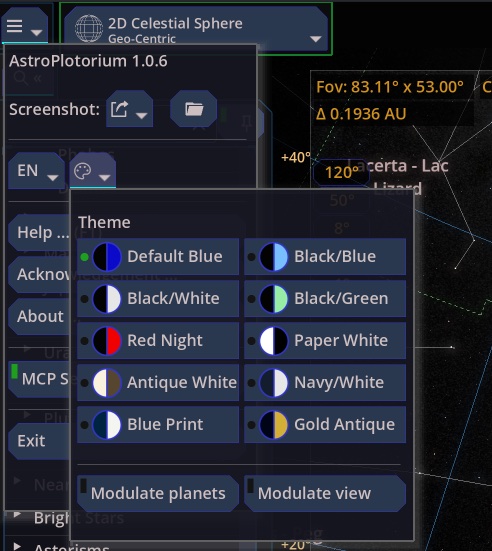
The home menu’s palette opens the theme list:
- Default Blue
- Black/Blue
- Black/White
- Black/Green
- Red Night
- Paper White
- Antique White
- Navy/White
- Blue Print
- Gold Antique
Red Night is the dark-adapted choice: red on black, so a screen used outdoors wrecks your night vision less than a white page. Paper White and Antique White are for a lit room, a projector, or a print-like screenshot. Labels and grids are drawn to stay readable in both the dark themes and the paper themes.
Two tint switches sit under the theme list:
- Modulate planets. Tints planet and comet surfaces toward the theme. Turn it off when you want the texture colors left alone.
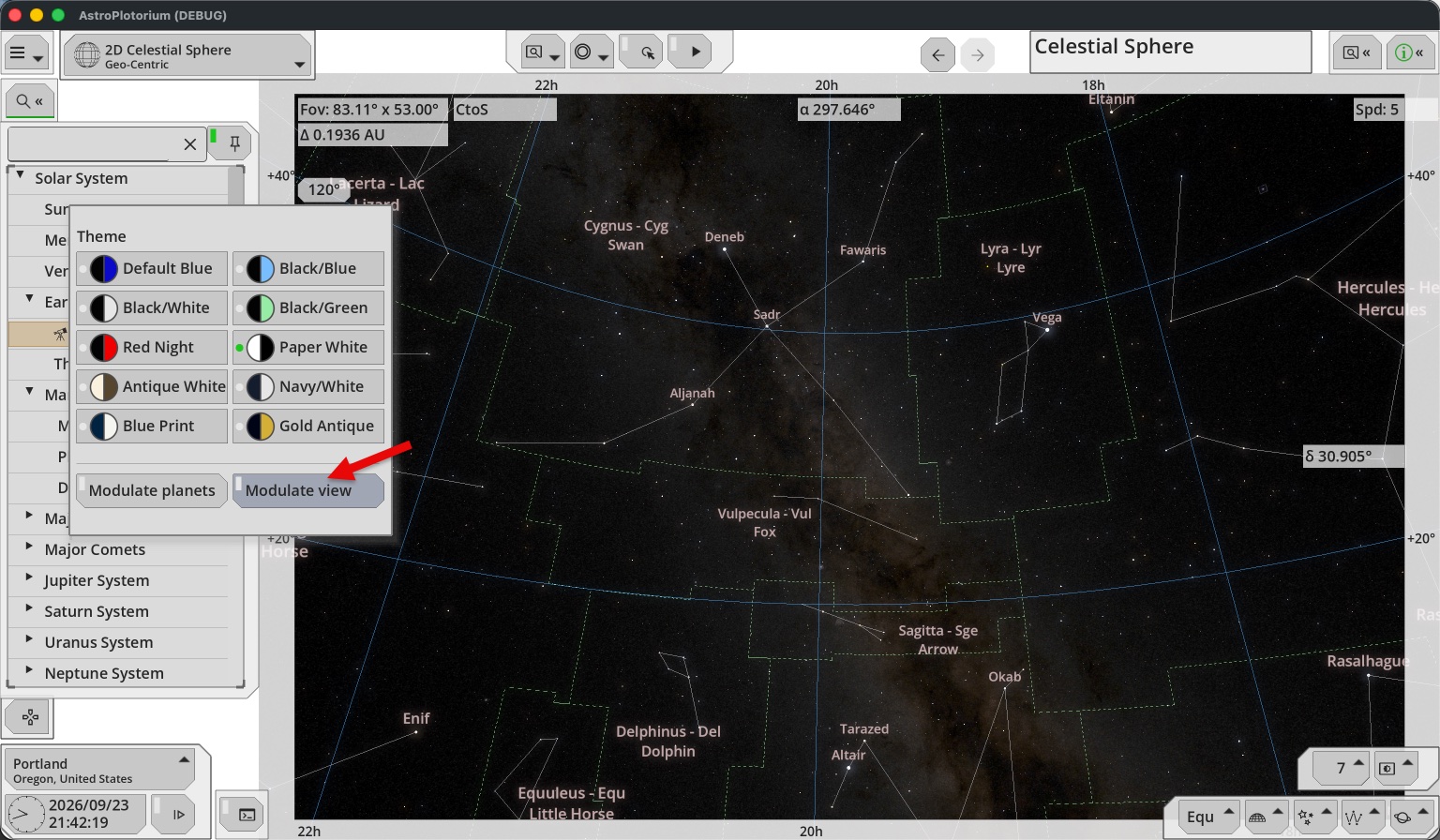
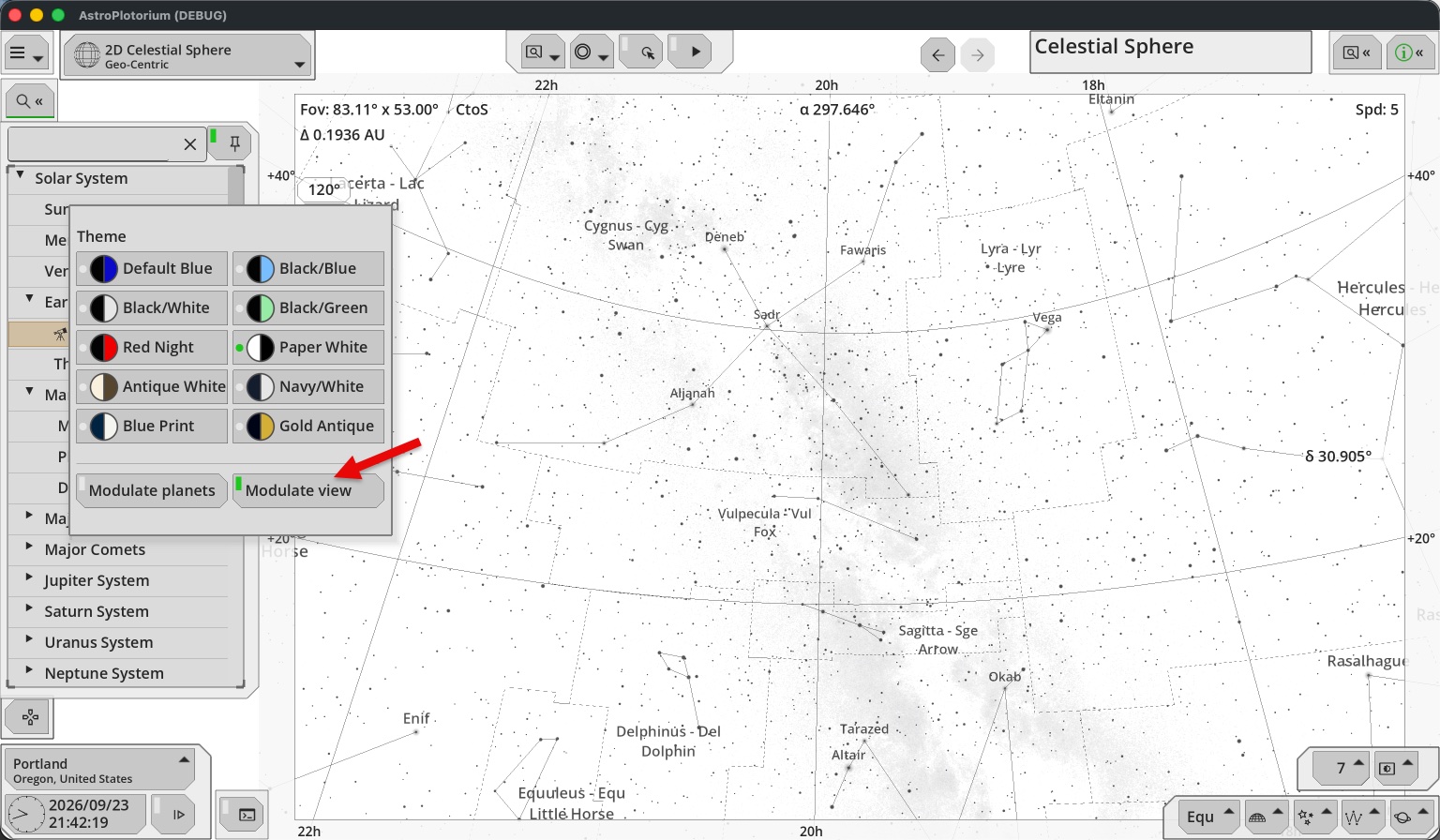
- Modulate view. Tints the 3D sky, stars, grids, deep-sky marks, and orbits. Turn it off to keep the 3D scene in the default blue look while the panels follow the theme.
Modulate view: Off
Modulate view: On
Language
The home menu language control is System, EN, or JA. System follows the operating system. This manual is the English text. The Japanese manual on the site is a separate translation.
UI size
Command-plus, Command-minus, and Command-0 (Ctrl on other keyboards) zoom the interface text and buttons. They do not change the sky’s field of view.
Landscape
Landscape belongs to the planetarium, not to every view. Presets and the floor and horizon choices are in the grid and ground menu at the bottom right. See Layers. 3D Orbit and 3D Universe do not use the mountain panorama. Those views are above the ground, or out in the scaled system.